> ## Documentation Index
> Fetch the complete documentation index at: https://resource-center-zoho-crm-staging-feb20.mintlify.site/llms.txt
> Use this file to discover all available pages before exploring further.
# Email
> Get email notifications for calls, messages, and voicemail from your Quo, formerly OpenPhone, numbers
## Overview
Email integration keeps you informed of important communications by sending notifications whenever your Quo numbers receive calls, messages, or voicemail. Stay connected even when you're away from your phone.
Only Admins and Owners of phone numbers can configure email integrations.
## Setting up email notifications
### Configuration steps
**To connect email notifications:**
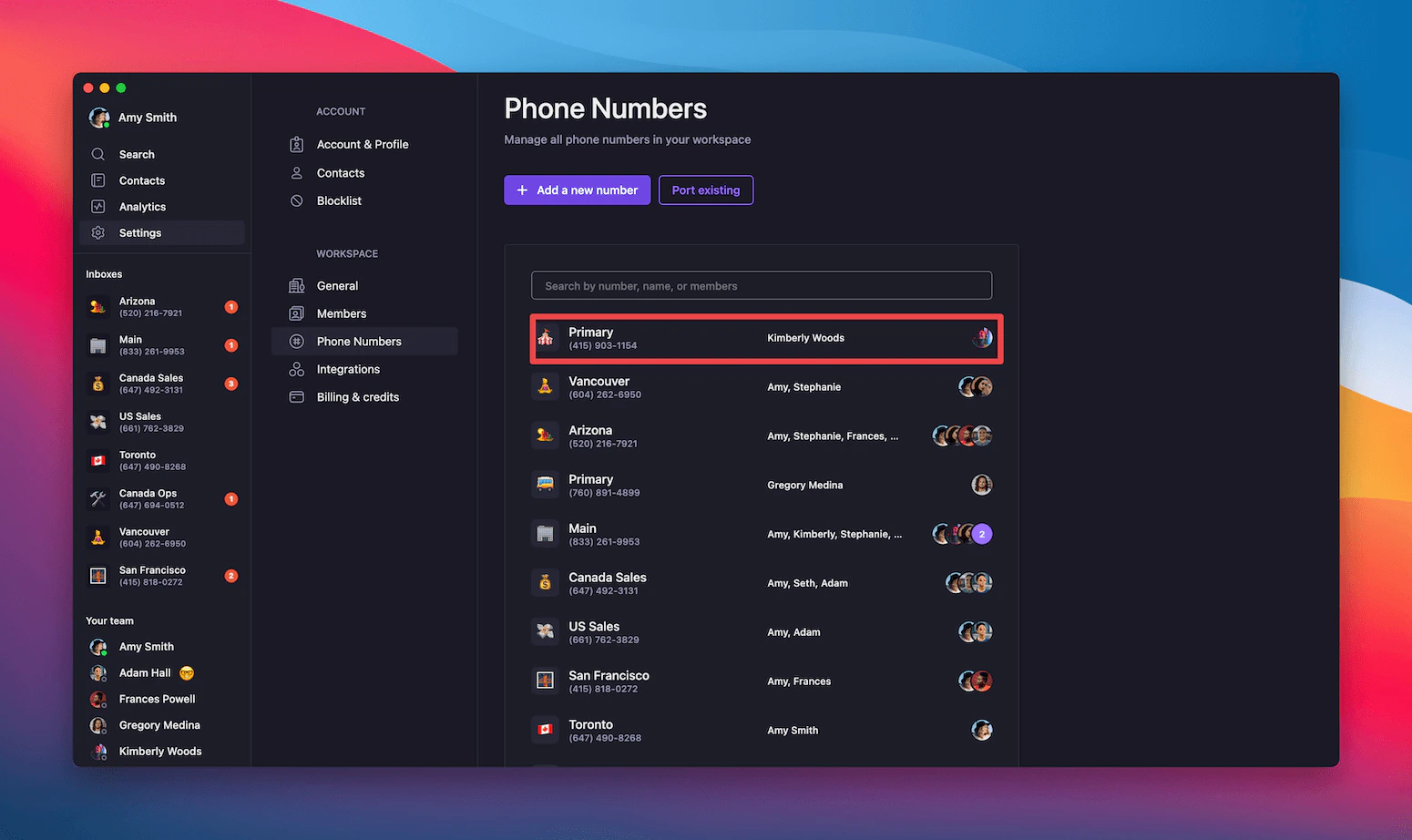
1. Navigate to **Settings** → **Phone Numbers**
2. Select the phone number to configure
3. Scroll to **Integrations** section
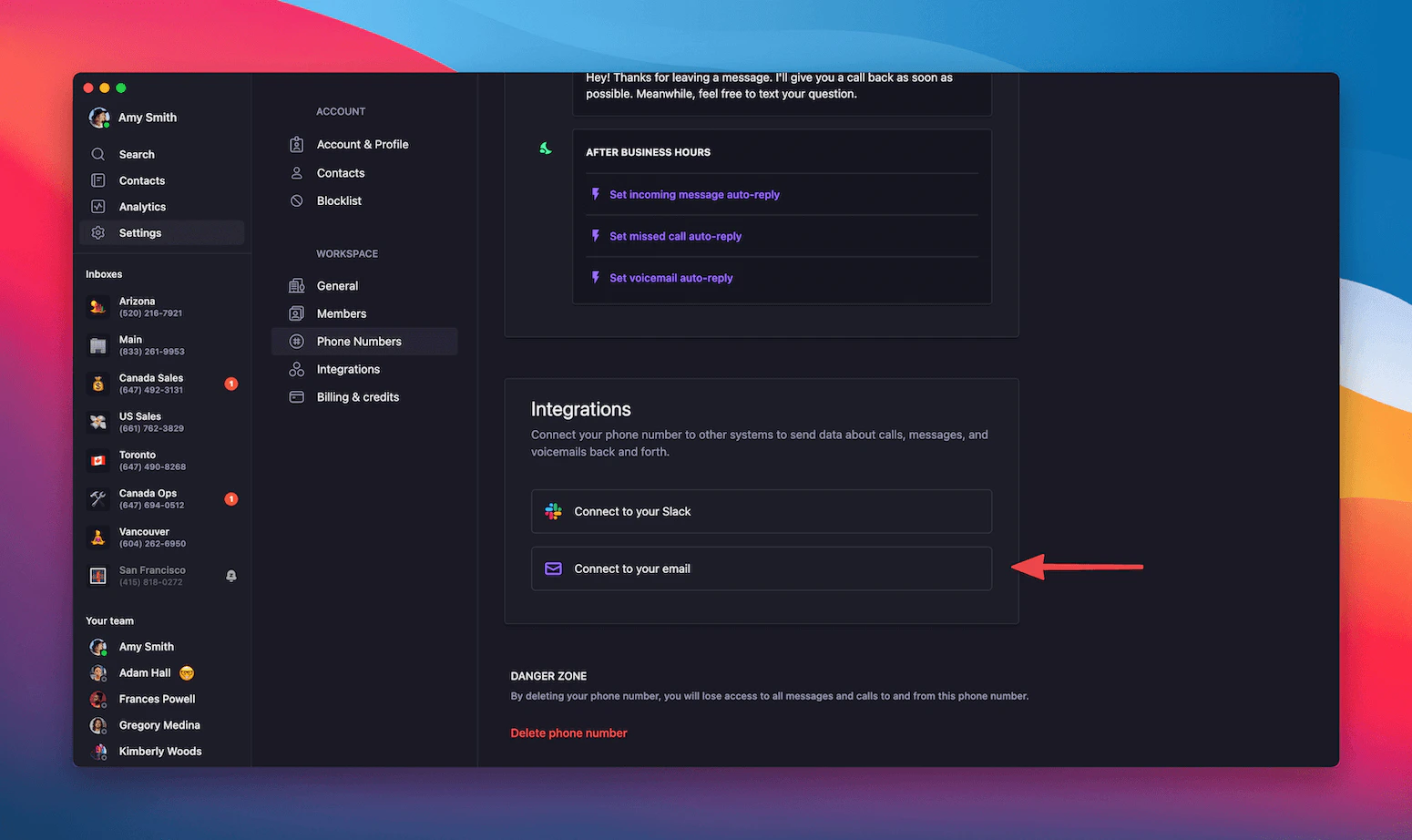
4. Click **Connect to your email**
5. Configure notification preferences
 ### Notification settings
**Default configuration:**
* Account email automatically included as recipient
* Notifications enabled for text messages, missed calls, and voicemail
* Additional email addresses can be added
### Notification settings
**Default configuration:**
* Account email automatically included as recipient
* Notifications enabled for text messages, missed calls, and voicemail
* Additional email addresses can be added
 ### Customizing notifications
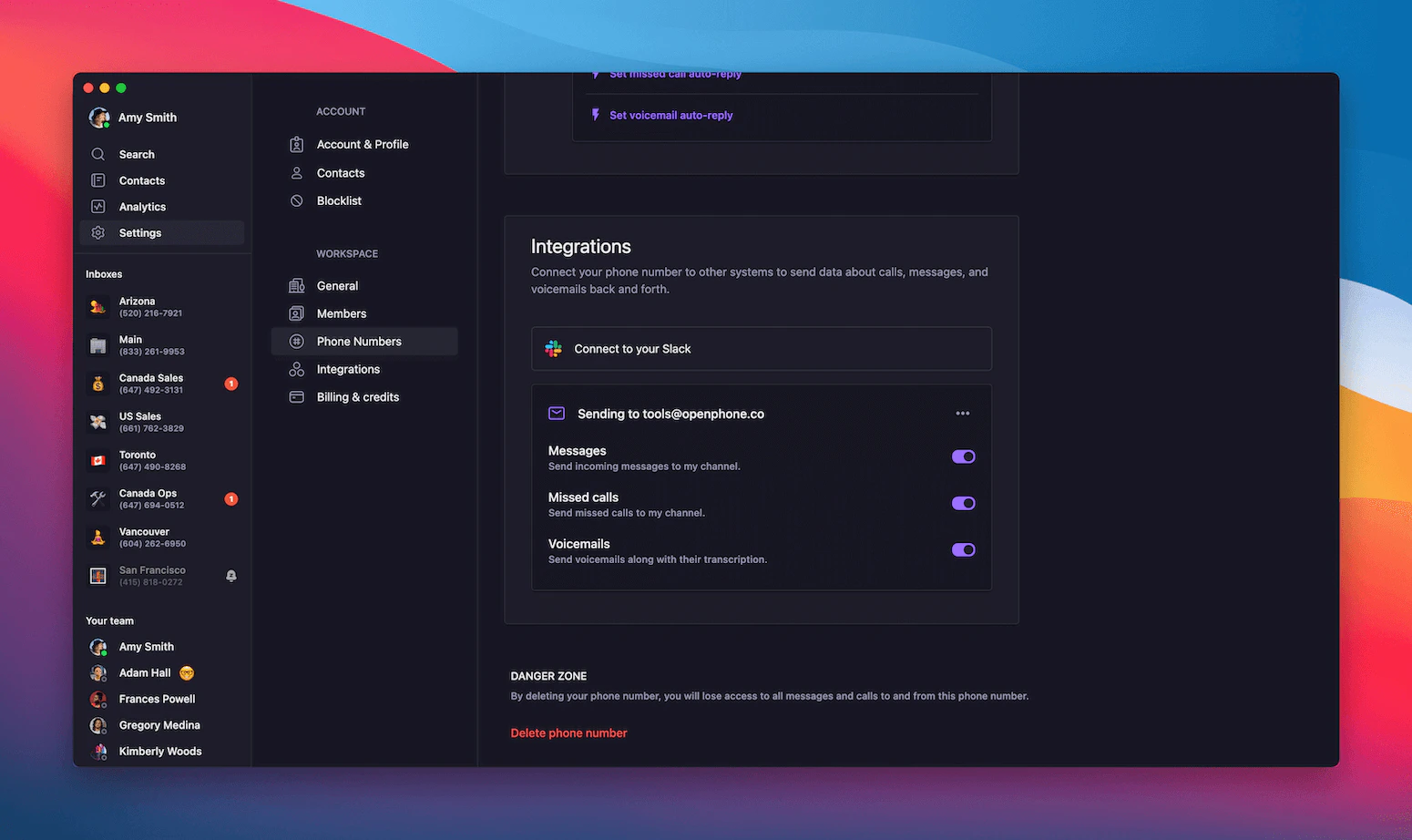
**Available event types:**
* **Text messages**: Receive copy of all incoming messages
* **Missed calls**: Get notified when calls go unanswered
* **Sona handed calls**: Receive a summary after Sona handles a call for you
* **Voicemail**: Email delivery of voicemail recordings and transcripts
**Additional recipients:**
* Add team members or assistants
* Include external email addresses
* Configure different recipients for different event types
### Customizing notifications
**Available event types:**
* **Text messages**: Receive copy of all incoming messages
* **Missed calls**: Get notified when calls go unanswered
* **Sona handed calls**: Receive a summary after Sona handles a call for you
* **Voicemail**: Email delivery of voicemail recordings and transcripts
**Additional recipients:**
* Add team members or assistants
* Include external email addresses
* Configure different recipients for different event types
 ## Email notification format
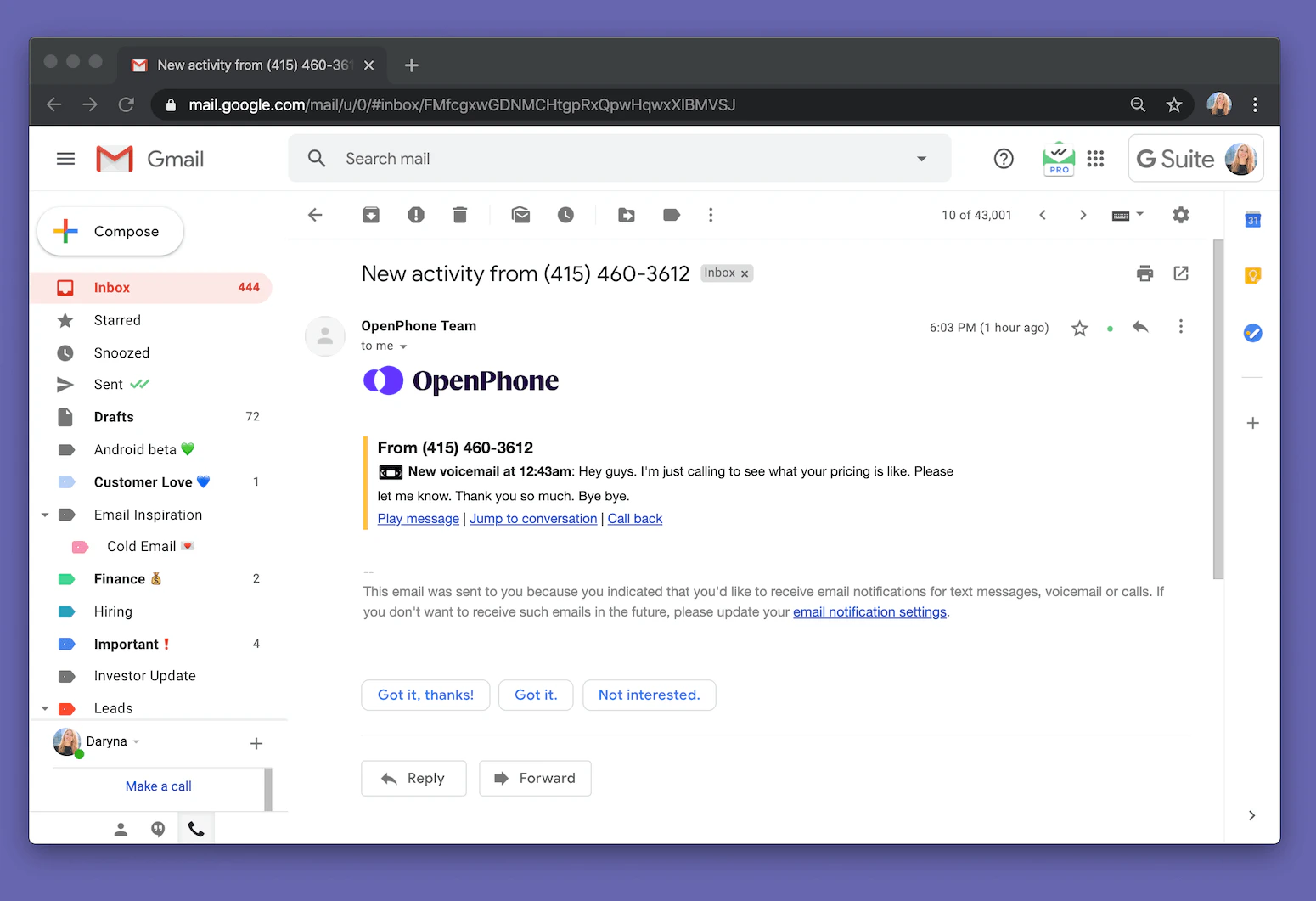
### What notifications include
**Email content:**
* Clear subject line indicating event type
* Sender/caller information
* Message content or call details
* Timestamp of activity
* Direct link to conversation in Quo
## Email notification format
### What notifications include
**Email content:**
* Clear subject line indicating event type
* Sender/caller information
* Message content or call details
* Timestamp of activity
* Direct link to conversation in Quo
 ### Notification types
**Text message notifications:**
* Full message content
* Sender's phone number
* Quo number that received the message
* Quick reply options
**Missed call notifications:**
* Caller information
* Call duration and time
* Voicemail status (if left)
* Call-back options
**Voicemail notifications:**
* Audio file attachment
* Voicemail transcription (if available)
* Caller details
* Playback and management options
## Managing email integration
### Updating settings
**To modify email notifications:**
* Return to phone number settings
* Adjust event types and recipients
* Enable or disable specific notification types
* Update email addresses as needed
### Best practices
**Effective email notification setup:**
* Choose relevant events to avoid inbox clutter
* Include key team members for shared numbers
* Use email filters to organize Quo notifications
* Regularly review and update recipient lists
**Email management tips:**
* Create dedicated folder for Quo notifications
* Set up email rules for automatic organization
* Use notification content for quick context
* Leverage direct links to access full conversations
### Notification types
**Text message notifications:**
* Full message content
* Sender's phone number
* Quo number that received the message
* Quick reply options
**Missed call notifications:**
* Caller information
* Call duration and time
* Voicemail status (if left)
* Call-back options
**Voicemail notifications:**
* Audio file attachment
* Voicemail transcription (if available)
* Caller details
* Playback and management options
## Managing email integration
### Updating settings
**To modify email notifications:**
* Return to phone number settings
* Adjust event types and recipients
* Enable or disable specific notification types
* Update email addresses as needed
### Best practices
**Effective email notification setup:**
* Choose relevant events to avoid inbox clutter
* Include key team members for shared numbers
* Use email filters to organize Quo notifications
* Regularly review and update recipient lists
**Email management tips:**
* Create dedicated folder for Quo notifications
* Set up email rules for automatic organization
* Use notification content for quick context
* Leverage direct links to access full conversations