As your team grows and you onboard more people, you need a clear workflow to maintain call quality. If you’re looking for an easy, lightweight way to coach your team by providing actionable feedback to them, call views is a useful addition to your coaching toolbox. In this article, we’ll share how you can coach your team using call views.Documentation Index
Fetch the complete documentation index at: https://resource-center-zoho-crm-staging-feb20.mintlify.app/llms.txt
Use this file to discover all available pages before exploring further.
Coach specific team members
With call views, you can coach specific team members in real time by giving them specific and detailed feedback. Here’s how:1. Filter your call views by team member and date
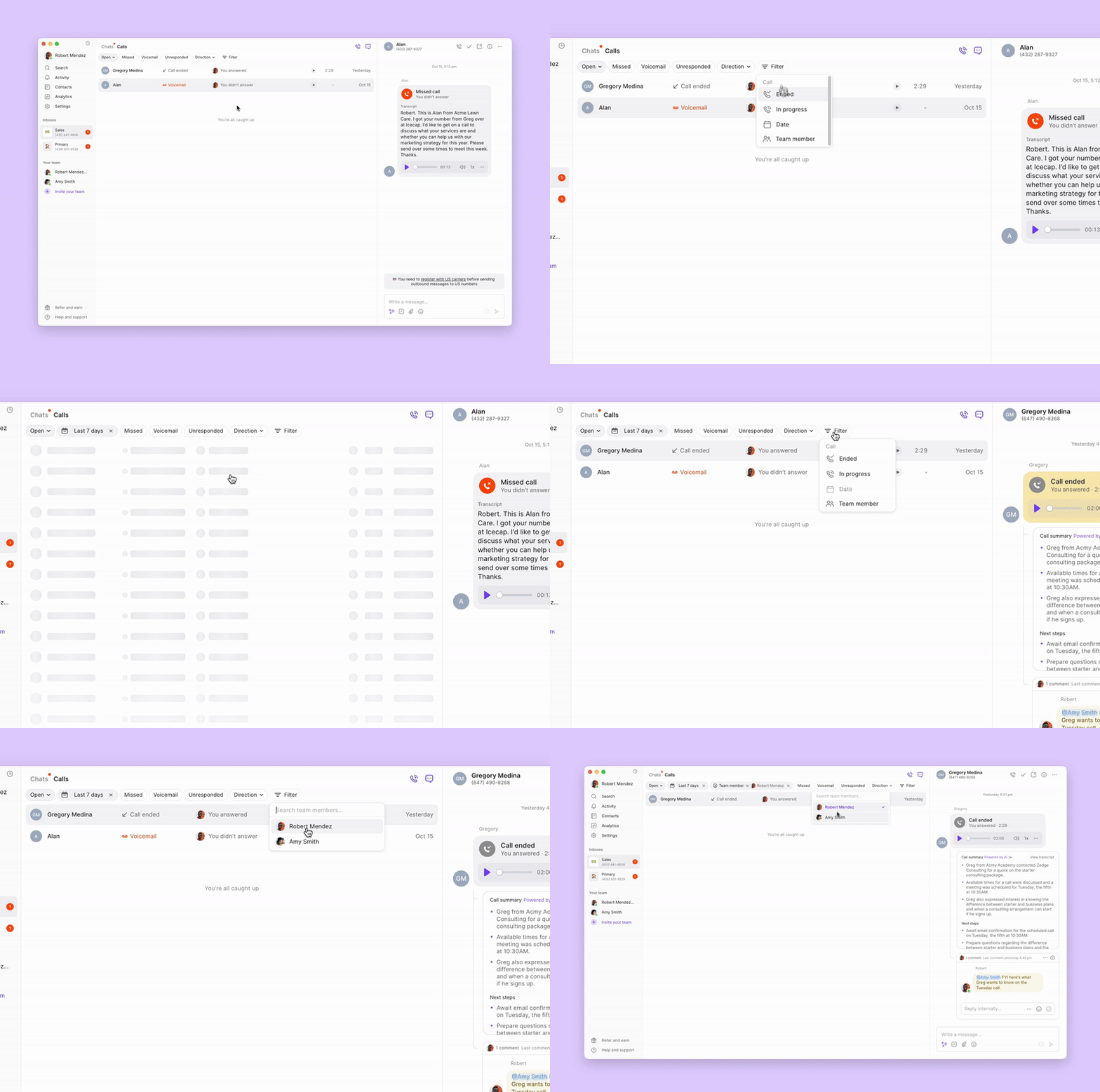
Let’s say you want to review last week’s calls before your next 1:1 with a team member. Call views helps you find those calls in seconds. First, find the calls you want to review:- Go to Calls.
- Filter your call view by Team Member. Selecting Direction also lets you drill down if you wish to incoming or outgoing calls.
- Filter this view by a date range for calls you want to review.
2. Review calls quickly with summaries and transcripts
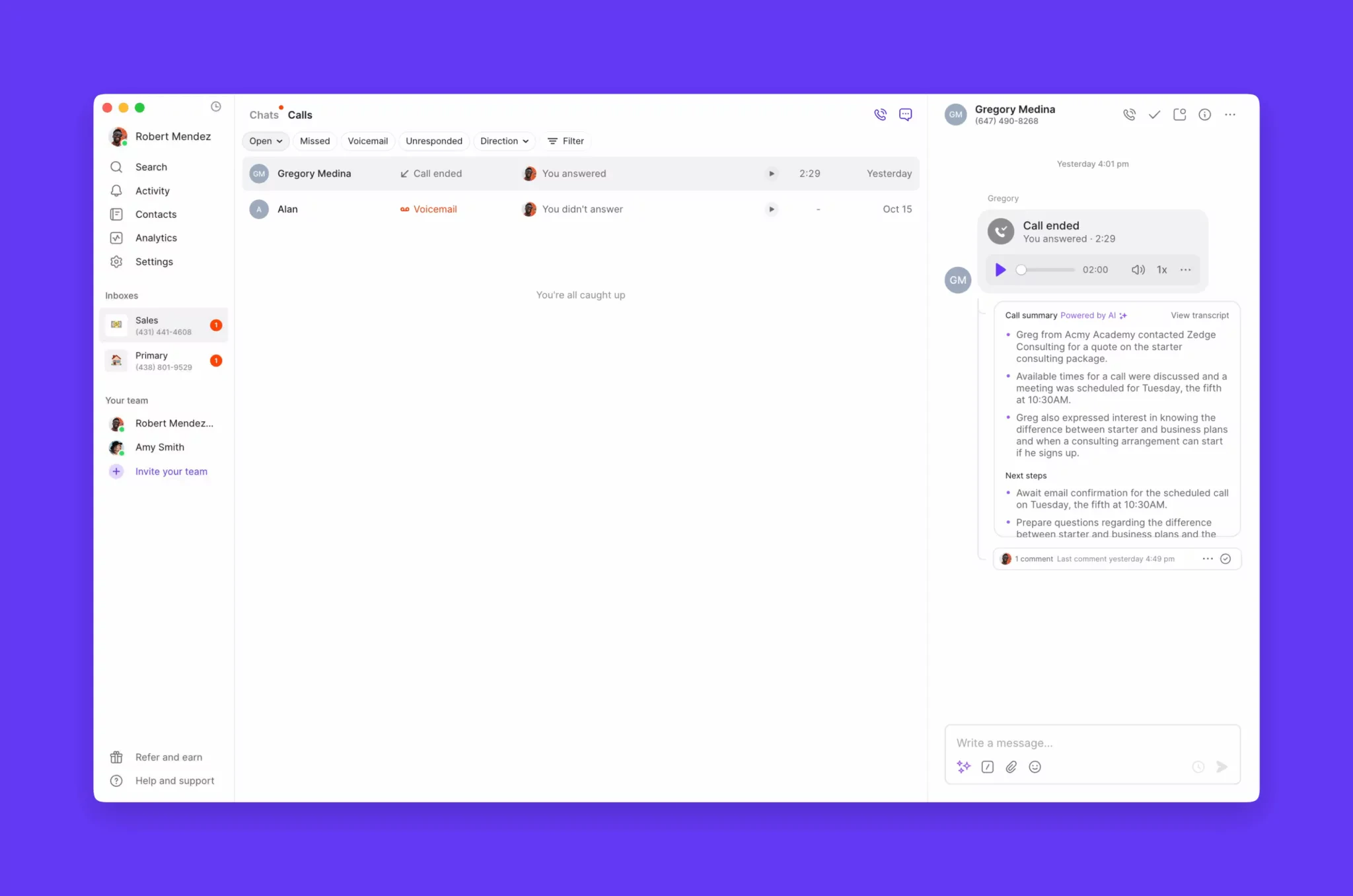
Next, review these calls to identify areas of improvement that you can share as feedback:- Select a call you want to review.
- In the right panel, you can play back the recording and review the call summary and transcription.
3. Tag team members with internal threads
As you review each call, you can tag that team member to share your feedback with them immediately or as a conversation for your next 1-on-1. Clicking … at the top right corner, you can select Copy link if you wish to link your colleague out to a specific conversation via Slack or elsewhere.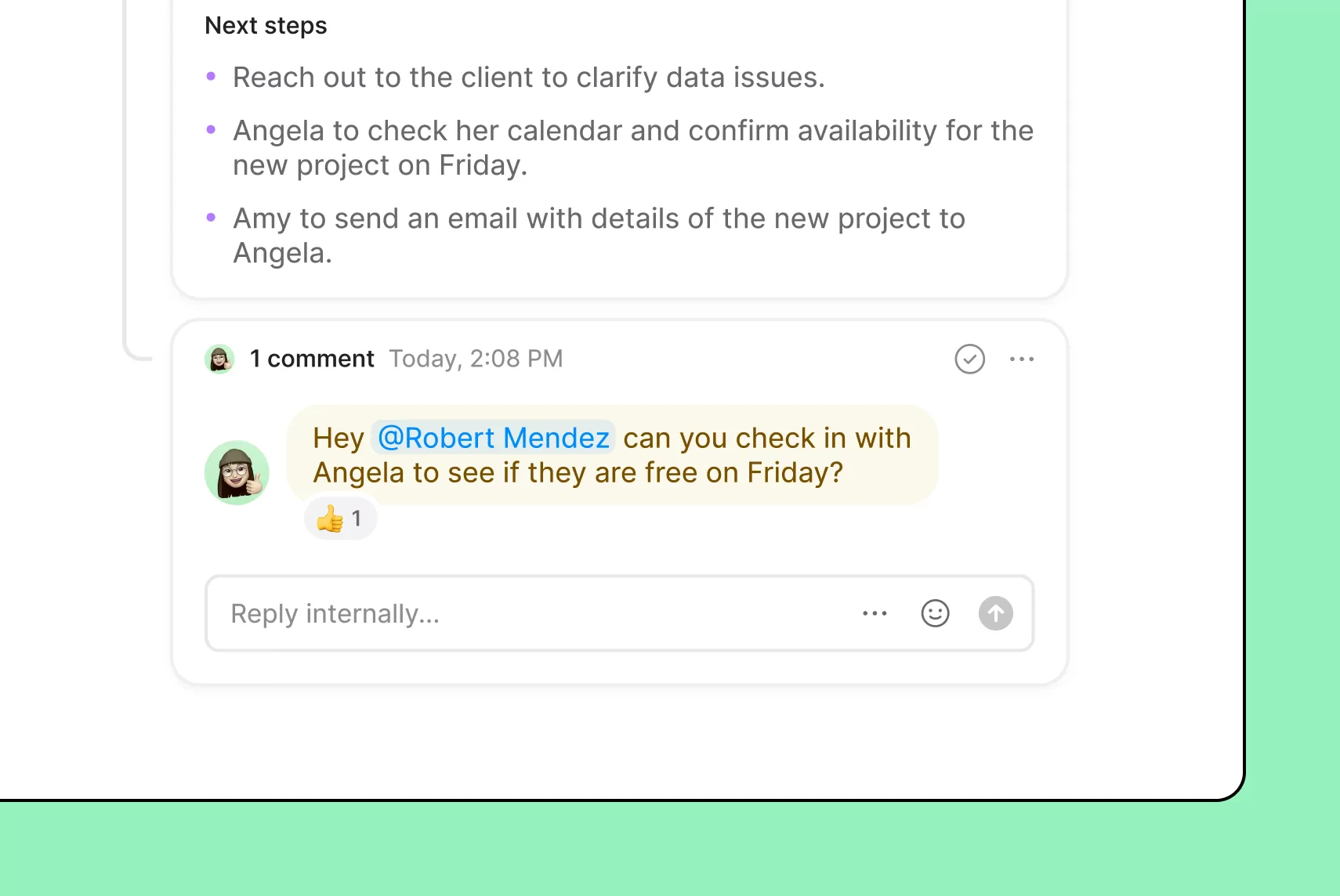
Identify broader performance trends
Call views can also help you zoom out and find larger patterns that may be impacting your team as a whole. Here are a couple of ways you can do that:1. Coach your team to be more efficient
You may find in call views that specific reps typically have longer call durations. Then, after drilling down into specific calls, you discover their call handling can be more efficient. Perhaps they’re not offering the right solutions to customer issues or they need to refresh their product knowledge in a specific area. With their specific case, you can diagnose the root cause and train your team on how to address it. Once you’ve identified what’s happening, you can track your call durations to see if your coaching has the intended effect.2. Pair with Quo analytics to identify other underlying issues
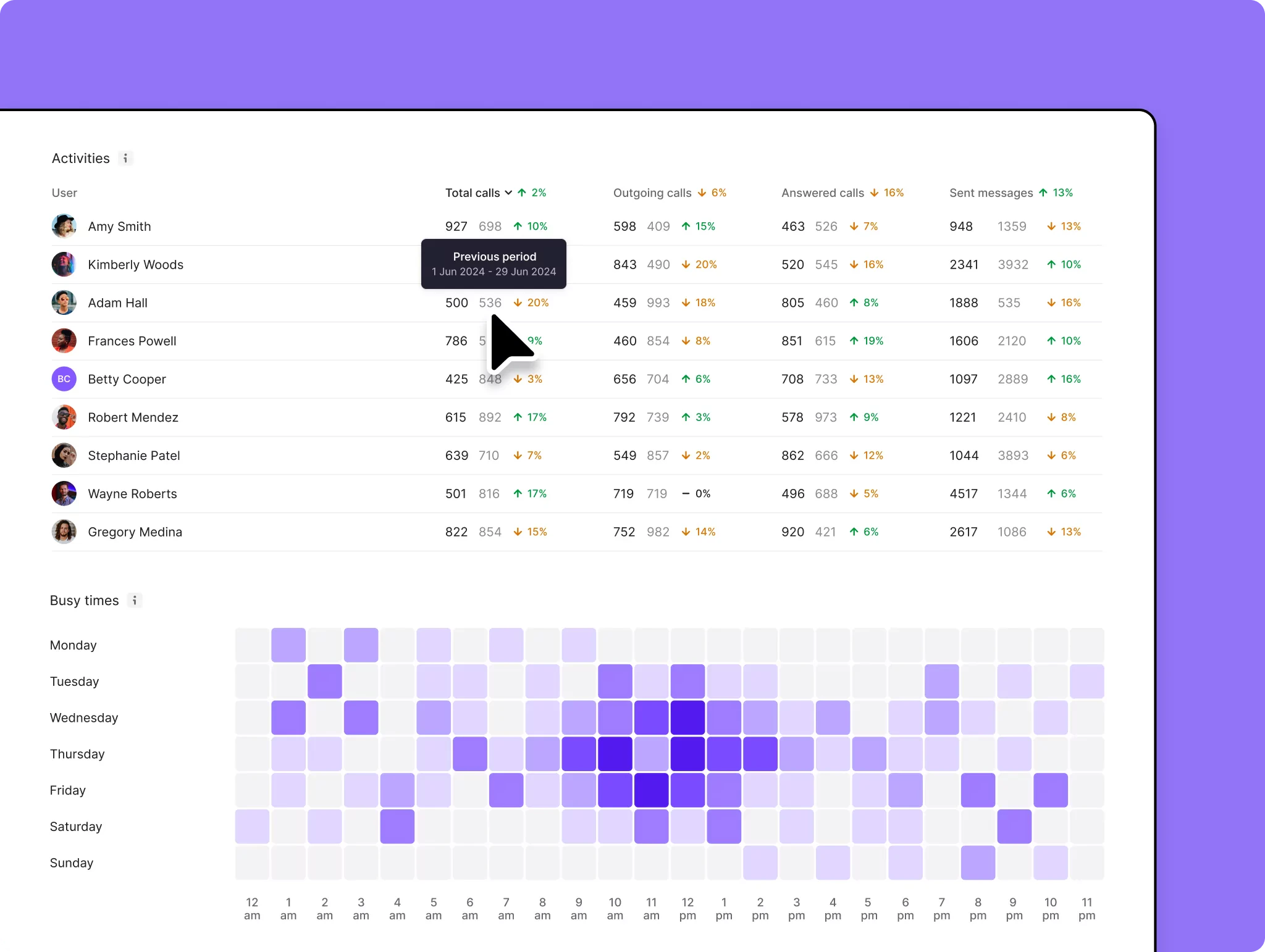
Call views works well with Quo analytics to identify macro trends. For example, let’s say you’ve noticed longer call durations for your team and you’re unsure whether it’s an isolated incident or part of an ongoing trend. You can cross-reference call views data with the ‘Time on calls’ metric in Analytics for a specific date range. You can also take a look at your heatmaps to check whether you’re properly staffed during times of the day when you have high call volumes.